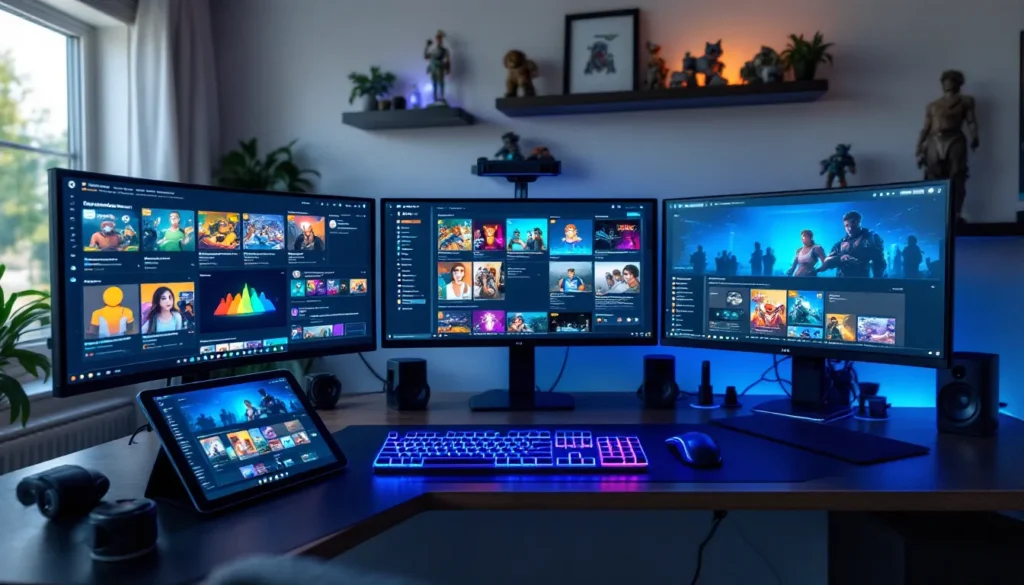
The red and black gaming chair isn’t just furniture, it’s a statement. Walk into any streamer’s setup or esports bootcamp and you’ll spot that aggressive, race-inspired aesthetic. But beyond the visual punch, the best gaming chairs deliver ergonomic support through marathon sessions, whether you’re grinding ranked or pushing world-first raid attempts.
In 2026, the market’s flooded with options ranging from $150 budget picks to $600+ premium thrones. Some nail the ergonomics but skimp on build quality. Others look incredible but torture your spine after hour three. This guide cuts through the noise, breaking down exactly what separates a solid red and black gaming chair from overpriced marketing hype, so you can make an informed choice that supports both your setup aesthetic and your back.
Table of Contents
ToggleKey Takeaways
- A red and black gaming chair combines aggressive aesthetics with ergonomic support, making it essential for marathon gaming sessions and streaming setups.
- Lumbar support is the critical differentiator between premium gaming chairs and overpriced imitations—integrated systems justify the $50–$100 premium for sessions exceeding four hours.
- Adjustability features like 4D armrests, recline range (90°–155°), and tilt lock directly impact gaming performance by reducing micro-adjustments and maintaining consistent posture.
- The $250–$400 price bracket delivers the best value in 2026, offering 3D or 4D armrests, upgraded materials, and 3–4 year durability compared to entry-level options.
- Prioritize proper fit to your body height and weight capacity over visual appeal—a poorly fitted red and black gaming chair causes back pain regardless of how it looks on camera.
- PU leather requires weekly maintenance with conditioner and immediate spill cleanup, while fabric chairs need regular vacuuming; genuine leather demands quarterly conditioning and is only worth the investment if you’re committed to upkeep.
Why Red and Black Gaming Chairs Dominate the Gaming Aesthetic
The Psychology Behind the Red and Black Color Scheme
Red triggers energy and intensity, exactly the vibe competitive gamers want in their space. Black adds contrast and makes setups look sleek without overwhelming RGB lighting. Together, they create a visual hierarchy that draws attention to the chair as a focal point while maintaining a dark, focused atmosphere.
This isn’t accidental. Chair manufacturers studied the color preferences that emerged from racing simulators and fighting game communities in the early 2010s. The combo stuck because it matches gaming’s performance-driven culture without looking juvenile or distracting during streams.
How This Color Combo Fits Different Gaming Setups
Red and black chairs adapt surprisingly well across different setups. In a full RGB battlestation with addressable lighting, the red accents complement warm color cycles while black sections recede visually, preventing color clash. For minimalist setups with black desks and neutral walls, the red provides just enough visual interest without demanding a full redesign.
The scheme also photographs well on stream. Black absorbs background light and prevents weird color casts, while red pops on camera without appearing oversaturated at typical streaming bitrates. That’s why you’ll see this combo dominating Twitch, YouTube Gaming, and TikTok gaming content, it just works on video.
Key Features to Look for in a Red and Black Gaming Chair
Ergonomic Design and Lumbar Support
Lumbar support separates real gaming chairs from overpriced office chairs with racing stripes. Look for adjustable lumbar cushions or built-in support that matches your spine’s natural curve. The support should sit between your L3 and L5 vertebrae, roughly where your belt sits.
Pillow-style lumbar cushions are cheaper but tend to shift during movement. Integrated support systems (built into the backrest) stay put but cost $50–$100 more. For sessions exceeding four hours, integrated systems justify the premium. Your back will thank you around hour six of a raid tier release.
Material Quality: PU Leather vs. Fabric vs. Genuine Leather
PU leather dominates the market for good reason: it’s affordable, easy to clean, and looks sharp. Expect 2–3 years of solid use before cracking appears on armrests and seat edges. It doesn’t breathe well, though, summer sessions get sweaty.
Fabric (usually mesh or woven textile) breathes better and lasts longer if you’re not eating at your desk. The trade-off? Spills are permanent, and it shows wear faster visually. Fabric chairs often cost $30–$80 less than equivalent PU models.
Genuine leather appears on premium chairs above $500. It ages better than PU and develops character over time, but requires conditioning every 6–12 months. Unless you’re committed to maintenance, it’s overkill for most gaming setups.
Adjustability Options That Matter for Long Gaming Sessions
Height adjustment is table stakes, ignore chairs without gas lift mechanisms. What actually separates good from great:
- 4D armrests: Adjust height, width, depth, and angle. Critical for proper mouse aim positioning and controller comfort
- Recline range: 90°–155° lets you switch between competitive posture and relaxed farming sessions
- Tilt lock/tension: Controls how easily the chair rocks. Tighter tension helps aim stability in shooters
- Seat depth adjustment: Rare but valuable for shorter gamers (under 5’6″) or taller players (over 6’2″)
Many gaming setup guides recommend matching armrest height to your desk for neutral wrist positioning, especially important if you’re clocking serious hours in aim-intensive games.
Weight Capacity and Build Quality
Most gaming chairs claim 250–330 lb capacity, but that’s continuous use rating, not maximum. Add a 50 lb safety buffer. A 280 lb gamer should target chairs rated for 330 lb minimum.
Build quality markers to check:
- Base: Steel over plastic. Aluminum is premium but not necessary
- Casters: 60mm or larger, rubber-coated for hard floors or smooth for carpet
- Gas lift: Class 4 certification minimum (prevents catastrophic failures)
- Frame: Steel or reinforced wood. Particle board frames fail within two years under regular use
Warranty length signals confidence. Reputable brands offer 2–3 years on frame and mechanisms, 1 year on upholstery. Anything less suggests corners were cut.
Top Red and Black Gaming Chair Styles in 2026
Racing-Style Gaming Chairs
The iconic bucket-seat design with high bolstered sides. These chairs scream “gamer” and dominate the sub-$400 market. The aggressive side wings don’t actually improve gaming performance (you’re not pulling lateral Gs), but they do provide lean support during relaxed sessions.
Best for: Streamers and content creators who want recognizable gaming aesthetic on camera. The visual identity is strong enough that viewers immediately recognize your space as gaming-focused.
Downside: The bolsters limit sitting positions. If you like crossing your legs or sitting sideways occasionally, the wings become restrictive. They also add width, measure your desk clearance before buying.
Executive and Premium Gaming Chairs
These ditch the racing aesthetic for leather executive styling with gaming-grade ergonomics. Think boardroom chair that can recline 155° and handle 12-hour sessions. Usually genuine or high-grade PU leather, metal accents, and subtler red highlights rather than full racing livery.
Best for: Adult gamers with mixed-use spaces (home office + gaming room) or anyone who finds racing chairs visually immature. They blend into professional Zoom backgrounds while still delivering gaming-grade comfort.
Price point: $400–$700. The premium is real but justified if you’re splitting use between work and gaming.
Budget-Friendly Options Without Sacrificing Style
The $150–$250 bracket has improved dramatically since 2024. You’re getting basic PU leather, 2D armrests, and simpler mechanisms, but the red and black aesthetic holds up fine on stream.
What you sacrifice:
- Lower weight capacity (usually 250 lb max)
- Thinner padding (noticeable after 3+ hours)
- Shorter warranties (6–12 months typical)
- Less adjustability (fixed lumbar pillows, basic tilt)
Best for: Casual gamers logging 1–2 hour sessions, younger gamers on tight budgets, or anyone testing whether they want a dedicated gaming chair before investing in premium models. These chairs last 1–2 years under regular use, acceptable if you’re treating it as a stepping stone.
Matching Your Red and Black Gaming Chair to Your Setup
Coordinating with RGB Lighting and Peripherals
Red and black chairs pair naturally with RGB ecosystems set to red/white/black themes. If you’re running Razer Chroma or Corsair iCUE, program warm color profiles (red, orange, amber) to complement the chair. Pure blue or green RGB clashes hard with red upholstery.
For static LED setups, warm white (3000K–3500K) backlighting makes red pop without looking garish. Cool white (5000K+) creates visual tension and makes the red look cheap on camera.
Peripheral matching: You don’t need red keyboards and mice, but black peripherals with red accents (like SteelSeries Rival or HyperX gear) create visual cohesion. Full RGB peripherals give you flexibility to match or contrast as your aesthetic evolves.
Desk and Monitor Compatibility Considerations
Chair width matters more than most buyers realize. Racing-style chairs with pronounced bolsters measure 22″–26″ wide at armrest level. If your desk has a keyboard tray or narrow clearance, measure before buying. You need at least 2″ clearance on each side for comfortable entry/exit.
Monitor height becomes critical with high-backed gaming chairs. The headrest on tall chairs (52″+ backrest) can interfere with monitor arms or tall displays if your desk sits low. Competitive gamers using monitor setup recommendations for optimal viewing angles should verify their desk height accommodates both chair and display positioning.
Desk depth also factors in. Chairs with deep recline require 12″–18″ clearance behind the seat. If your desk backs against a wall, you’ll hit the wall at full recline unless you position the chair further forward, which reduces usable desk space.
Comfort vs. Performance: What Gamers Need to Know
How Chair Comfort Impacts Gaming Performance
Comfort isn’t just about feeling good, it directly affects performance metrics. Poor lumbar support forces micro-adjustments every 10–15 minutes. Each adjustment breaks focus and adds input delay to reaction-dependent plays. In competitive shooters or MOBAs, those split-second distractions compound over a session.
A study tracking pro gamer ergonomics found players with proper chair support maintained 8–12% better consistency in aim precision tests after hour three compared to players in standard office chairs. The gap widens in sessions exceeding five hours, exactly when tournament brackets and raid progression demand peak performance.
Armrest positioning affects mouse control directly. Too high, and your shoulder elevates, creating tension and reducing fine motor control. Too low, and you’re supporting arm weight with wrist muscles, accelerating fatigue. Proper 4D armrests let you dial in that neutral position where your forearm floats parallel to the desk.
Finding the Right Balance for Your Gaming Style
Competitive FPS and MOBA players need firmer seats and locked upright positioning. Racing-style chairs with tighter bolsters and stiffer foam work better here. The rigidity promotes consistent posture, which translates to repeatable muscle memory for aim and inputs.
MMO, RPG, and strategy gamers benefit from softer padding and deeper recline ranges. These genres involve longer sessions with varied intensity, you’ll want to recline during cutscenes, story segments, or crafting sessions, then return upright for raid bosses or PvP.
Streamers and content creators need a third consideration: camera presence. A chair that looks aggressive on stream might feel too stiff for 8-hour streaming marathons. Many full-time streamers run softer executive-style gaming chairs that balance visual appeal with all-day comfort.
Maintenance and Care Tips for Red and Black Gaming Chairs
Cleaning Different Materials Without Damaging the Finish
PU leather maintenance is straightforward but non-negotiable. Wipe down weekly with a damp microfiber cloth, just water, no cleaners. Monthly, use a leather conditioner (even though it’s synthetic: it prevents cracking). Avoid alcohol-based wipes: they dry out PU and cause premature cracking.
For spills, clean immediately. PU is water-resistant but not waterproof. Liquids seep through stitching and into foam if left sitting. Blot (don’t wipe) spills, then clean with mild soap solution.
Fabric chairs need vacuuming every two weeks to prevent dust buildup in fibers. For spot cleaning, use upholstery cleaner or diluted dish soap. Test on a hidden area first, some dyes aren’t colorfast. Let fabric dry completely before use (6–12 hours) to prevent mildew in foam.
Genuine leather requires conditioning every 3–6 months depending on climate. Dry environments need more frequent treatment. Use leather-specific cleaners, never all-purpose solutions. Genuine leather can handle gentle buffing with a soft cloth to restore luster.
Preventing Wear and Tear on High-Traffic Areas
Armrests take the most abuse. They’re your entry/exit contact points and rest spots between rounds. Apply vinyl protectant spray monthly to PU armrests, it creates a barrier against oil and sweat. Consider armrest covers ($15–$25) if you’re putting in 30+ hours weekly.
Seat edges wear from entry/exit friction. Rotate your sitting position slightly every few weeks to distribute wear. If your chair allows seat cushion removal, flip or rotate it every three months.
Casters collect hair, dust, and cable debris. Pull them monthly, remove buildup, and check for damage. Damaged casters create uneven weight distribution that accelerates frame wear. Replacement casters run $20–$40 for a set, cheap insurance against bigger problems.
Tighten bolts and screws every 6–8 months. Gaming chairs handle constant weight shifting and recline cycles. Hardware loosens over time, creating wobble and stress points that can crack plastic components or strip threads.
Common Mistakes to Avoid When Buying a Red and Black Gaming Chair
Ignoring height and weight specs. Chair manufacturers list recommended user height (usually 5’6″–6’2″) and weight capacity for a reason. A 5’4″ gamer in a chair designed for 6’+ users won’t get proper lumbar contact or armrest positioning. Tall gamers in compact chairs get knee pressure and restricted recline.
Prioritizing aesthetics over ergonomics. That aggressive racing chair looks sick on your stream, but if it doesn’t fit your body properly, you’ll hate it by month two. Style matters, it’s part of why you’re reading this guide, but ergonomics determine whether you’ll still be using the chair a year from now.
Buying based on Amazon reviews alone. Gaming chair reviews skew positive in the first 30 days (the typical review window). Real problems, foam compression, PU cracking, mechanism failure, emerge at 6–12 months. Look for reviews from verified purchasers at 1+ years, or check enthusiast forums for long-term feedback.
Skipping assembly quality checks. Gaming chairs arrive mostly disassembled. Rushed assembly leads to uneven bolt tension, which creates wobble and premature wear. Allocate 45–60 minutes, follow instructions exactly, and verify every bolt is properly tightened before use.
Not testing recline and tilt mechanisms before the return window closes. Some chairs have stiff recline that requires excessive force. Others are too loose and feel unstable. Test all adjustments within the first week while you can still return the chair hassle-free.
Overlooking warranty details. “2-year warranty” doesn’t always mean 2 years on everything. Read the fine print. Many brands cover the frame for 2–3 years but only 6–12 months on upholstery and foam. Hydraulic lift failures (rare but catastrophic) should be covered for at least 2 years.
Forgetting to measure your space. Chair dimensions list static measurements, but you need clearance for recline (12″–18″ behind), armrest width (24″–28″ total), and base diameter (27″–30″ typical). Measure your desk area before ordering, especially if you’re working with a compact setup or corner desk configuration.
Price Range Guide: What to Expect at Different Budget Levels
$150–$250: Entry-Level Territory
Basic PU leather, 2D armrests (height and angle only), pillow lumbar support, 250 lb weight capacity. Frame quality varies wildly, check reviews specifically mentioning 6+ month durability. Expect 1–2 years of life under regular use.
Best value here: Chairs from established brands clearing out previous-year models. You’ll get better build quality than no-name Amazon brands at the same price.
$250–$400: Sweet Spot for Most Gamers
This range delivers the best bang-for-buck in 2026. You’re getting 3D or 4D armrests, better padding density, upgraded PU or fabric options, and 300+ lb capacity. Mechanisms feel smoother, and warranties extend to 2 years on major components.
Features that appear in this bracket: memory foam lumbar support, metal frame construction, wider recline ranges (up to 155°), and more color/style options. Build quality supports 3–4 years of regular use.
$400–$600: Premium Performance
High-grade materials (genuine leather or premium fabric), robust metal frames, 330+ lb capacity, and refined ergonomics. You’re paying for longevity and comfort refinement, the difference between “good enough” and “legitimately great.”
Expect 5+ year lifespan, comprehensive warranties (3 years typical), and features like adjustable seat depth, replaceable parts programs, and superior foam that resists compression. Many chairs in this range come from brands with dedicated customer support.
$600+: Enthusiast and Professional Grade
Diminishing returns hit hard above $600 for most gamers. You’re getting incremental improvements: slightly better materials, brand prestige, and niche features (heating/cooling, massage functions, aerospace-grade hydraulics).
Worth it if: You’re a full-time streamer/content creator, have specific medical needs (severe back issues requiring custom support), or simply want the best available. For the average gamer, even competitive players, the $250–$400 bracket delivers 90% of the performance at half the cost.
Sales and timing: Gaming chairs see major discounts during Black Friday, Amazon Prime Day, and back-to-school sales (August–September). Expect 20–35% off. Avoid buying at full MSRP unless you’re replacing a broken chair immediately.
Conclusion
Red and black gaming chairs have staying power in 2026 because they solve a real problem: combining aggressive gaming aesthetic with functional ergonomics. The right chair isn’t about brand hype or who sponsors your favorite streamer, it’s about matching features to your body, your gaming habits, and your budget.
Prioritize fit over flash. Verify height and weight specs, test adjustability within your return window, and invest in the best ergonomics your budget allows. A well-chosen chair supports thousands of hours of gaming, streaming, or grinding, while a poorly chosen one becomes an expensive reminder that aesthetics can’t compensate for back pain.
Your setup deserves a throne that performs as hard as it looks. Choose wisely, and that red and black chair becomes the anchor of your battlestation for years to come.