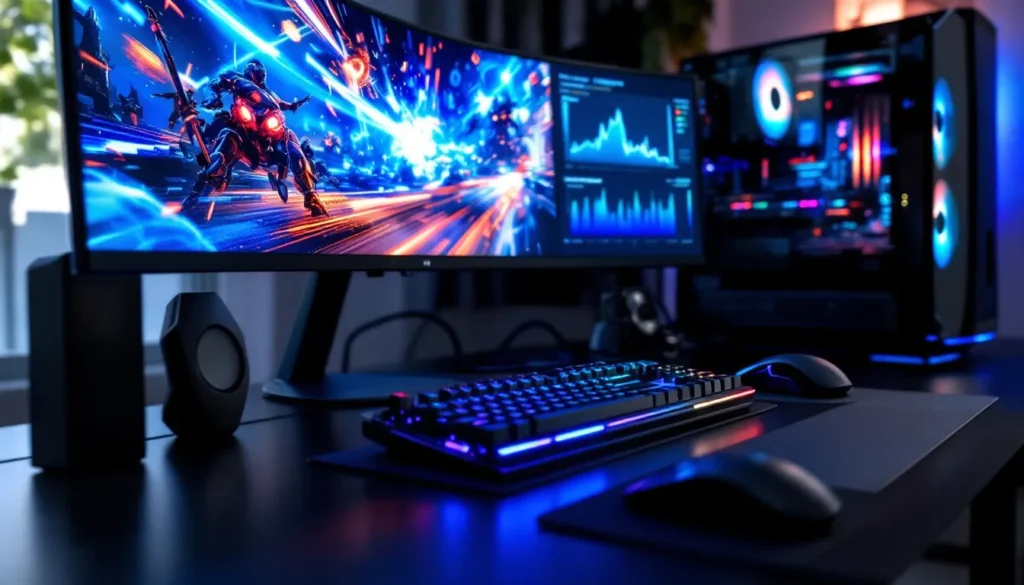
The right desk can make or break your gaming experience. You’ve invested hundreds, maybe thousands, into your rig, peripherals, and chair. But if your desk is cramped, unstable, or clashing with your setup’s vibe, you’re leaving performance and comfort on the table.
Grey gaming desks have become the go-to choice for gamers who want a clean, modern aesthetic without sacrificing functionality. Unlike stark white desks that show every smudge or black desks that feel heavy in smaller rooms, grey strikes a balance. It’s neutral enough to complement any RGB setup, mature enough for a professional streaming background, and versatile enough to fit both minimalist and maxed-out battlestations.
This guide breaks down everything you need to know about choosing a grey gaming desk in 2026, from key features and desk types to budget recommendations and setup optimization. Whether you’re building your first gaming space or upgrading from a hand-me-down table, here’s how to find the perfect grey gaming desk for your needs.
Table of Contents
ToggleKey Takeaways
- A grey gaming desk provides a neutral, versatile foundation that complements any RGB setup, gaming aesthetic, or room design without clashing or aging poorly.
- Prioritize surface area (at least 48 inches wide, 24-30 inches deep) and weight capacity (200+ lbs) to accommodate dual monitors, peripherals, and future upgrades comfortably.
- Built-in cable management features like grommets, cable trays, and routing channels are essential for a clean battlestation, not optional add-ons.
- Mid-range grey gaming desks ($200-$500) offer the best value for most gamers, balancing adjustability, build quality, cable management, and warranty coverage.
- Proper monitor positioning, ergonomic height alignment, and peripheral organization directly impact gaming performance and comfort during long sessions.
- Avoid common mistakes like underestimating desk depth, ignoring weight capacity limits, and prioritizing RGB aesthetics over functional build quality and materials.
Why Choose a Grey Gaming Desk for Your Setup
The Aesthetic Appeal of Grey in Gaming Spaces
Grey has become the neutral anchor in modern gaming rooms. It doesn’t compete with RGB lighting the way darker surfaces can, and it won’t wash out your setup like some lighter colors might. Whether you’re rocking a cyberpunk purple-and-blue theme or a clean white-and-black minimalist build, grey adapts.
The color itself comes in multiple shades, charcoal, slate, light grey, and gunmetal, each offering different visual weight. Darker greys add depth and pair well with black gaming chairs and matte peripherals. Lighter greys brighten spaces and work especially well in rooms with limited natural light. Unlike wood-grain desks that lock you into a specific aesthetic, grey desks age gracefully as trends shift.
Versatility and Room Design Compatibility
Grey gaming desks fit into nearly any room design without clashing. If you’re gaming in a shared living space or bedroom, grey blends into existing furniture better than loud colors or industrial metal finishes. It’s professional enough for streamers who need a clean background and understated enough for players who don’t want their desk to dominate the room.
This versatility extends to future-proofing your setup. Swap your RGB scheme from red to green? Your grey desk still works. Upgrade your monitor from a standard panel to an ultrawide? The neutral surface won’t fight the new gear. Grey is the equivalent of a solid foundation in a loadout, it lets everything else shine without holding you back.
Key Features to Look for in a Grey Gaming Desk
Desktop Size and Surface Area
Surface area dictates what you can actually fit on your desk. For a single-monitor setup with a keyboard, mouse, and mousepad, 48 inches wide by 24 inches deep is the baseline. Dual-monitor setups or ultrawide displays demand at least 60 inches of width. If you’re running triple monitors or streaming with a secondary screen, capture card, and mixer, look for 72+ inches or an L-shaped configuration.
Depth matters more than most gamers realize. A 24-inch depth is acceptable, but 30 inches gives you breathing room to push monitors back for proper viewing distance and still have space for your keyboard and mouse. Shallow desks force you into cramped postures, especially if you’re using a larger mousepad for low-sens FPS play.
Build Quality and Materials
Grey gaming desks typically use engineered wood (MDF or particleboard), solid wood, steel frames, or a combination. Engineered wood with a laminate or powder-coated finish is the most common in budget and mid-range desks, it’s affordable, lightweight, and available in multiple grey shades. Solid wood or bamboo desks offer superior durability but cost more and weigh significantly more.
Steel-framed desks with grey powder coating are popular in standing and industrial-style setups. They handle heavy loads (dual PC setups, large monitors, and studio equipment) without flexing. Check the weight capacity before buying, budget desks often max out at 100-150 lbs, while quality gaming desks support 200-300 lbs or more.
Look for desks with reinforced crossbars or a center support leg if you’re exceeding 55 inches in width. Long desks without proper support will sag over time, especially under the weight of monitor arms and heavy peripherals.
Cable Management Solutions
Cable management separates a clean battlestation from a tangled mess. Built-in cable management comes in several forms: grommets (circular cutouts for routing cables), cable trays (under-desk channels or baskets), and routing channels (grooves along the desk’s rear edge).
Grommets are standard but limited, they work for routing a few cables but don’t organize them. Cable trays mounted under the desk keep power strips, excess cable length, and adapters hidden. The best grey gaming desks include metal or plastic trays that run the desk’s length and attach via screws or clips.
Some premium desks feature integrated cable routing channels along the back edge or legs. These aren’t essential, but they make managing multiple devices, PC, consoles, monitors, USB hubs, and audio interfaces, far easier.
Ergonomic Design and Height Adjustability
A fixed-height desk works if it matches your chair and body proportions, but most gamers benefit from adjustability. Standard desk height is 28-30 inches, which is comfortable for average-height users sitting in a standard chair. If you’re taller or shorter, or if you use a gaming chair with limited height range, you’ll end up with bad posture.
Adjustable-height desks come in two types: manual (crank or pin-based) and electric (motorized lift). Electric standing desks are the premium option, allowing you to switch between sitting and standing with the press of a button. Many include programmable presets, so you can save your preferred sitting and standing heights.
If a full standing desk exceeds your budget, consider desk risers or adjustable legs. Some grey gaming desks offer height-adjustable legs in 1-2 inch increments, which is enough to dial in comfort without the cost of a motorized frame.
Types of Grey Gaming Desks
L-Shaped Grey Gaming Desks
L-shaped desks maximize corner space and provide two work zones, one for gaming, one for productivity, streaming, or console setups. The longer side typically holds your primary monitor(s) and gaming peripherals, while the shorter return leg accommodates secondary screens, a console, or a place to set drinks and controllers.
These desks work best in dedicated gaming rooms or corners where you can anchor both sides against walls. Surface area ranges from 50-70 inches on each leg, giving you 100-140 inches of total workspace. Grey L-shaped desks often use steel frames with laminate tops, keeping weight down while maintaining stability.
L-shaped desks can feel bulky in smaller rooms, so measure your space carefully. If your room is under 10×10 feet, a standard rectangular desk might be a better fit.
Standing and Adjustable Height Grey Desks
Electric standing desks with grey tops are increasingly popular among streamers and marathon gamers. Sitting for 8+ hours straight tanks your posture and energy. Standing desks let you alternate positions throughout long sessions, reducing strain on your lower back and improving circulation.
Most electric standing desks adjust from 24-50 inches in height, with programmable memory settings (usually 2-4 presets). Dual-motor systems lift more weight and adjust faster than single-motor models. If you’re running a heavy setup, dual monitors, full tower PC on the desk, studio monitors, go dual-motor.
Frames come in grey, black, or white, with grey laminate or solid-surface tops. Popular brands include Uplift, Fully Jarvis, and Flexispot, with prices ranging from $400-$1,200 depending on size and features. Frame stability is critical, cheap standing desks wobble at full height, which is unacceptable when you’re trying to land headshots.
Compact and Corner Grey Gaming Desks
Compact desks (40-48 inches wide) fit bedrooms, dorm rooms, or apartments where space is tight. They’re designed for single-monitor setups with minimal peripherals, keyboard, mouse, headset stand, and maybe a small speaker or LED strip.
Corner desks wedge into room corners, maximizing floor space while providing a dedicated gaming zone. They’re triangular or curved, typically 35-45 inches per side. Corner desks work well for console gamers who don’t need extensive surface area but want a defined setup spot.
Compact grey gaming desks often sacrifice cable management and build quality to hit lower price points. Expect thinner materials and lighter weight capacities (80-120 lbs). They’re solid for casual gaming or secondary setups but not ideal if you’re planning to expand.
RGB and LED-Integrated Grey Desks
RGB-integrated desks feature built-in LED strips along the edges or underside, controlled via remote or app. These desks lean into the battlestation aesthetic, syncing lighting with your PC, keyboard, and mouse for a unified look.
Grey surfaces pair especially well with RGB lighting, the neutral tone acts as a canvas, letting colors pop without clashing. Most RGB desks use addressable LEDs with millions of color options, customizable patterns, and brightness control. Some sync with popular RGB ecosystems like Razer Chroma or Corsair iCUE.
Be aware that RGB desks prioritize form over function. They’re often more expensive than equivalent non-RGB models, and the lighting adds no performance benefit. If you’re chasing aesthetics for streaming or content creation, they’re worth it. If you just want a solid desk, skip the LEDs and invest in better build quality or size.
Top Grey Gaming Desk Options for Different Budgets
Budget-Friendly Grey Gaming Desks Under $200
Under $200, you’re looking at basic rectangular desks with minimal features. The Homall 55-inch Gaming Desk (around $120-$150) offers a grey carbon fiber textured surface, a basic cable grommet, and a steel frame with a 200 lb capacity. It’s not fancy, but it fits dual monitors and standard peripherals without very costly.
The Mr IRONSTONE 63-inch Gaming Desk (around $140-$180) bumps up surface area and includes a monitor stand shelf and CPU stand. The grey finish is a matte laminate over MDF. It’s functional for gamers who need space but don’t care about advanced cable management or standing features.
Budget desks sacrifice adjustability, premium materials, and warranty coverage. Expect assembly to take 30-60 minutes, and don’t overload them, weight limits are accurate, not conservative.
Mid-Range Grey Gaming Desks ($200-$500)
The $200-$500 range is the sweet spot for most gamers. The Flexispot EC1 Electric Standing Desk with a grey laminate top (around $300-$400) offers dual-motor height adjustment, programmable presets, and a 48×30-inch surface. It’s stable at full height and handles 154 lbs, making it suitable for dual monitors and a mid-tower PC.
The ApexDesk Elite Series (around $450-$500) features a powder-coated steel frame, 60×30-inch grey desktop, built-in cable tray, and advanced collision detection. It’s a premium standing desk without hitting four-figure territory.
For non-adjustable desks, the Arozzi Arena Gaming Desk (around $400) offers a massive 63×32-inch grey surface, custom mousepad-style covering, three cable management grommets, and a steel frame. It’s purpose-built for gaming, with a raised back edge to prevent monitors from sliding and enough space for triple-monitor setups.
Mid-range desks often include better warranties (3-5 years), higher weight capacities (200-250 lbs), and more thoughtful cable management. Many gamers who review gaming desk setups recommend investing in this range for long-term use.
Premium Grey Gaming Desks Over $500
Premium desks start at $500 and climb past $1,000 for top-tier builds. The Uplift V2 Standing Desk with a grey laminate or bamboo top (around $600-$900 depending on size and features) is a favorite among streamers and content creators. It offers a commercial-grade frame, programmable height presets, advanced cable management, and optional accessories like monitor arms, CPU holders, and power grommets.
The Fully Jarvis Bamboo Standing Desk in grey-stained bamboo (around $700-$1,000) combines eco-friendly materials with rock-solid engineering. It supports up to 350 lbs, adjusts smoothly via dual motors, and includes a 7-year warranty.
For fixed-height premium desks, the Secretlab Magnus Metal Desk (around $799) features a magnetic cable management ecosystem, seamless RGB integration with Nanoleaf panels, and a powder-coated steel frame. The grey finish is a sleek gunmetal that matches Secretlab gaming chairs. It’s overkill for casual gamers but ideal for high-end battlestations where aesthetics and functionality matter equally.
Premium desks justify their cost with superior materials, longer warranties, and features like programmable controls, collision sensors, and integrated power/USB hubs. If you’re spending 6+ hours daily at your desk, the investment pays off in comfort and durability.
How to Match Your Grey Gaming Desk with Your Setup
Coordinating with Gaming Chairs and Accessories
Your desk and chair should complement each other visually and functionally. Grey desks pair cleanly with black, white, or grey gaming chairs, brands like Secretlab, Herman Miller, and Noblechairs offer chairs in these colorways that won’t clash with a grey surface.
If you’re using a chair with bright accent colors (red, blue, or green), the grey desk acts as a neutral buffer. Match your peripherals, keyboard, mouse, headset stand, and mousepad, to either the chair’s accent color or the desk’s grey tone. A consistent color palette makes your setup look intentional rather than thrown together.
Accessories like desk mats, monitor stands, and speaker placement should follow the same logic. A large grey desk mat unifies the surface and protects the desktop from scratches. Matte black or white monitor stands blend into grey setups without adding visual noise.
Lighting and RGB Integration
Grey desks serve as an ideal backdrop for RGB lighting. The neutral surface doesn’t absorb or distort light the way black can, and it doesn’t reflect harsh glare like white.
Position LED strips under the desk or along the rear edge to create ambient backlighting. Addressable RGB strips sync with your PC and peripherals via software like Razen Synapse, Corsair iCUE, or SignalRGB. If you’re using an RGB-integrated desk, coordinate the desk lighting with your keyboard, mouse, and case fans for a unified color scheme.
Bias lighting (backlighting your monitor) reduces eye strain during long sessions and makes your setup pop on camera. Mount LED strips to the back of your monitor so the light washes onto the wall behind your desk, not directly into your eyes.
Many gamers setting up their spaces reference setup guides to optimize lighting placement and avoid common mistakes like overlighting or mismatched color temperatures.
Monitor Arms and Peripheral Placement
Monitor arms free up desk space and improve ergonomics by letting you adjust height, tilt, and distance independently. Most grey gaming desks support clamp-on or grommet-mounted monitor arms, but confirm the desktop thickness (usually 0.75-1.5 inches) and weight capacity before buying.
Single-monitor arms cost $30-$150 depending on build quality and range of motion. Dual or triple-monitor arms start around $80 and climb past $300 for gas-spring models with extensive adjustability. Popular options include the Ergotron LX, AmazonBasics Monitor Arm, and HUANUO dual arms.
Peripheral placement should prioritize ergonomics and workflow. Position your monitor(s) at arm’s length, with the top of the screen at or slightly below eye level. Your keyboard and mouse should sit so your elbows form a 90-degree angle when typing or gaming. Keep frequently used items, headset, controller, drink, within easy reach but off your primary mousing area.
Setting Up Your Grey Gaming Desk for Maximum Performance
Optimal Monitor Positioning and Viewing Angles
Monitor placement directly impacts performance and comfort. For competitive gaming, position your primary monitor centered on your desk, 20-30 inches from your eyes depending on screen size. A 24-inch 1080p monitor should sit closer than a 32-inch 1440p panel to maintain pixel clarity and reduce head movement.
Tilt your monitor back 10-20 degrees so the top is slightly farther from you than the bottom. This reduces neck strain and matches your natural line of sight when sitting upright. If you’re using a monitor arm, fine-tune height so the center of the screen aligns with your eyes when looking straight ahead.
For dual or triple-monitor setups, angle side monitors inward 15-30 degrees to create a natural curve around your seating position. This reduces the need to turn your head and improves peripheral visibility in sim racing, flight sims, or productivity tasks.
Cable Management Best Practices
Cable management isn’t just aesthetic, it improves airflow, reduces clutter-related stress, and makes troubleshooting easier. Start by routing all cables through desk grommets or along the desk’s rear edge. Use velcro straps or cable sleeves to bundle power cables, USB cables, and display cables separately.
Mount a power strip to the underside of your desk using adhesive strips or screws. This keeps the power strip accessible but hidden and prevents cables from pooling on the floor. If your desk includes a cable tray, place excess cable length and bulky adapters there.
Label cables at both ends with small tags or colored tape. When you need to swap a monitor or troubleshoot a USB issue, you’ll know exactly which cable to pull without tracing every line.
Avoid over-tightening cables. Leave slight slack so cables don’t strain when you adjust your monitor or move your keyboard. Tight cables can pull connectors loose or damage ports over time.
Organizing Peripherals and Accessories
Peripheral organization maximizes usable desk space and keeps your setup functional. Use a headset stand or wall mount to store your headset when not in use. Controller stands or charging docks keep consoles controllers ready without cluttering your desk.
A small drawer unit or desk shelf adds storage for items like extra cables, microfiber cloths, thermal paste, or controller batteries. Keep these within reach but off the desk surface itself.
Mousepad size matters for organization. A large desk mat (36×18 inches or bigger) unifies your keyboard and mouse area and protects the desk surface. If you’re a low-sens FPS player who needs maximum mouse room, prioritize pad size over other accessories.
Maintenance and Care Tips for Grey Gaming Desks
Cleaning Different Grey Desk Materials
Grey laminate or MDF desks are the most common and easiest to clean. Wipe the surface with a damp microfiber cloth to remove dust and smudges. For stubborn stains (soda spills, grease from snacks), use a mild all-purpose cleaner or a 50/50 mix of water and isopropyl alcohol. Avoid harsh chemicals like bleach or ammonia, they can discolor or damage the laminate finish.
Grey powder-coated steel frames resist scratches and stains but can collect dust in joints and corners. Use compressed air or a dry cloth to clean these areas. If the coating chips, touch it up with matching spray paint to prevent rust.
Solid wood or bamboo grey desks require more care. Wipe spills immediately to prevent water damage or staining. Use furniture polish or wood conditioner every few months to maintain the finish. Avoid placing hot items directly on the surface, use coasters or mouse pads as barriers.
Some gamers building long-term setups reference desk maintenance tips to extend the lifespan of their furniture and peripherals.
Preventing Wear and Scratches
Grey desks show scratches less than black desks but aren’t immune. Use a desk mat or large mousepad to protect the surface in high-traffic areas. If you’re placing a heavy PC tower on the desk, use a PC stand or rubber feet to distribute weight and prevent indentations.
Avoid dragging peripherals, monitors, or heavy objects across the surface. Lift items when repositioning them. If you’re using a monitor stand or arm, ensure the clamp has rubber padding to prevent crushing or scratching the desktop edge.
For standing desks, tighten all screws and bolts every 6-12 months. Regular use can loosen hardware, leading to wobble or instability. Check the frame’s crossbars and leg connections especially if you’re adjusting height frequently.
Common Mistakes to Avoid When Buying a Grey Gaming Desk
Don’t underestimate the importance of depth. A 20-inch-deep desk might look fine in photos, but it’ll force you into cramped posture with your monitor right in your face. Aim for 24-30 inches of depth unless space constraints make it impossible.
Skipping weight capacity checks is another common error. If you’re running dual 27-inch monitors, a gaming PC, and studio monitors, you’re approaching 100+ lbs before adding peripherals. A desk rated for 110 lbs is already at its limit and will sag or fail over time. Always leave 20-30% headroom in weight capacity.
Ignoring cable management features is a mistake you’ll regret after setup. A desk without grommets, trays, or routing channels leaves you dealing with cable spaghetti. Retrofitting cable management later is possible but annoying and less clean than built-in solutions.
Choosing a desk based solely on appearance is tempting, especially with RGB-integrated models, but form without function is a bad trade. Prioritize surface area, build quality, and ergonomics first. Aesthetics matter, but not if you’re uncomfortable or running out of space after three months.
Finally, don’t assume “gaming desk” means quality. The term is often marketing fluff slapped onto mediocre furniture. Check reviews, weight capacities, materials, and warranties. A well-built office desk in grey is often better than a flashy “gaming” desk with thin materials and no support.
Conclusion
A grey gaming desk is more than a surface for your setup, it’s the foundation that supports performance, comfort, and style. The right desk accommodates your monitors, peripherals, and future upgrades without cramping your space or clashing with your aesthetic.
Whether you’re eyeing a budget-friendly 48-inch desk, a mid-range standing model, or a premium battlestation centerpiece, prioritize surface area, build quality, and cable management over flashy features. Grey’s versatility makes it easy to coordinate with any chair, RGB scheme, or room design, and it ages better than trend-driven colors.
Measure your space, list your must-haves, and set a realistic budget. A thoughtful desk choice pays dividends in every gaming session, stream, and late-night grind. Your setup deserves a solid foundation, choose a grey gaming desk that fits your needs and won’t let you down when the next big release drops.